Company information is the basic details of your organization that will be displayed in PDF documents: invoices, estimates, acts, contracts, and payment receipts. Adding this information allows you to generate complete documents with automatic substitution of company data through variables (shortcodes).
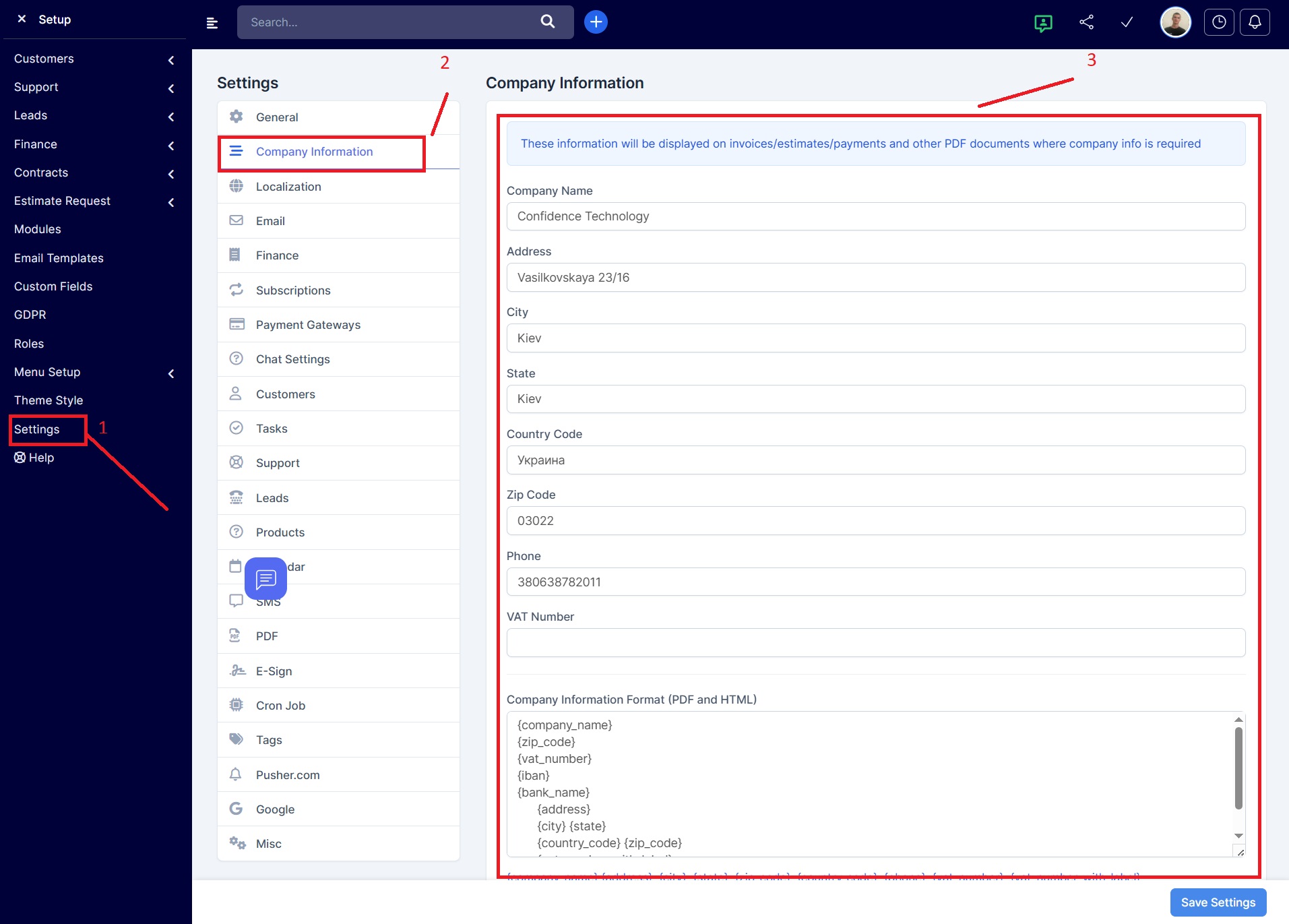
Where to configure
Path in the system:
Setup → Settings → Company Information
Key fields
- Company Name
{company_name}(example: Confidence Technology) - Address
{address}(example: Vasilkovskaya 23/16) - City
{city}(example: Kyiv) - State/Region
{state}(example: –) - Country
{country_code}(example: Ukraine) - Zip Code
{zip_code}(example: 03022) - Phone
{phone}(example: +380638782011) - VAT Number
{vat_number}(example: –) - Company Format in PDF/HTML
{company_information_format}(configured manually)
Custom Fields
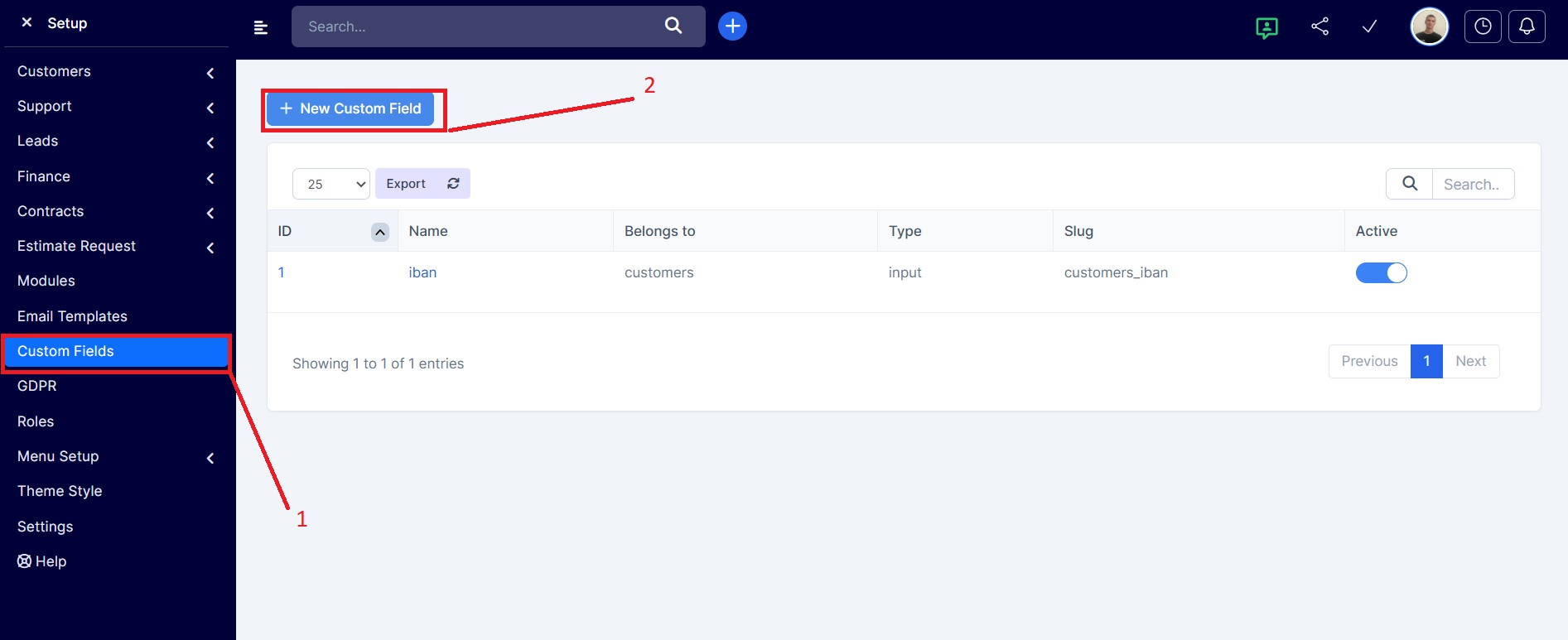
For greater flexibility, you can add additional fields to the company or customer profiles. This allows you to include, for example, an IBAN or other details not present in the standard fields.
Path in the system:
Setup → Settings → Custom Fields
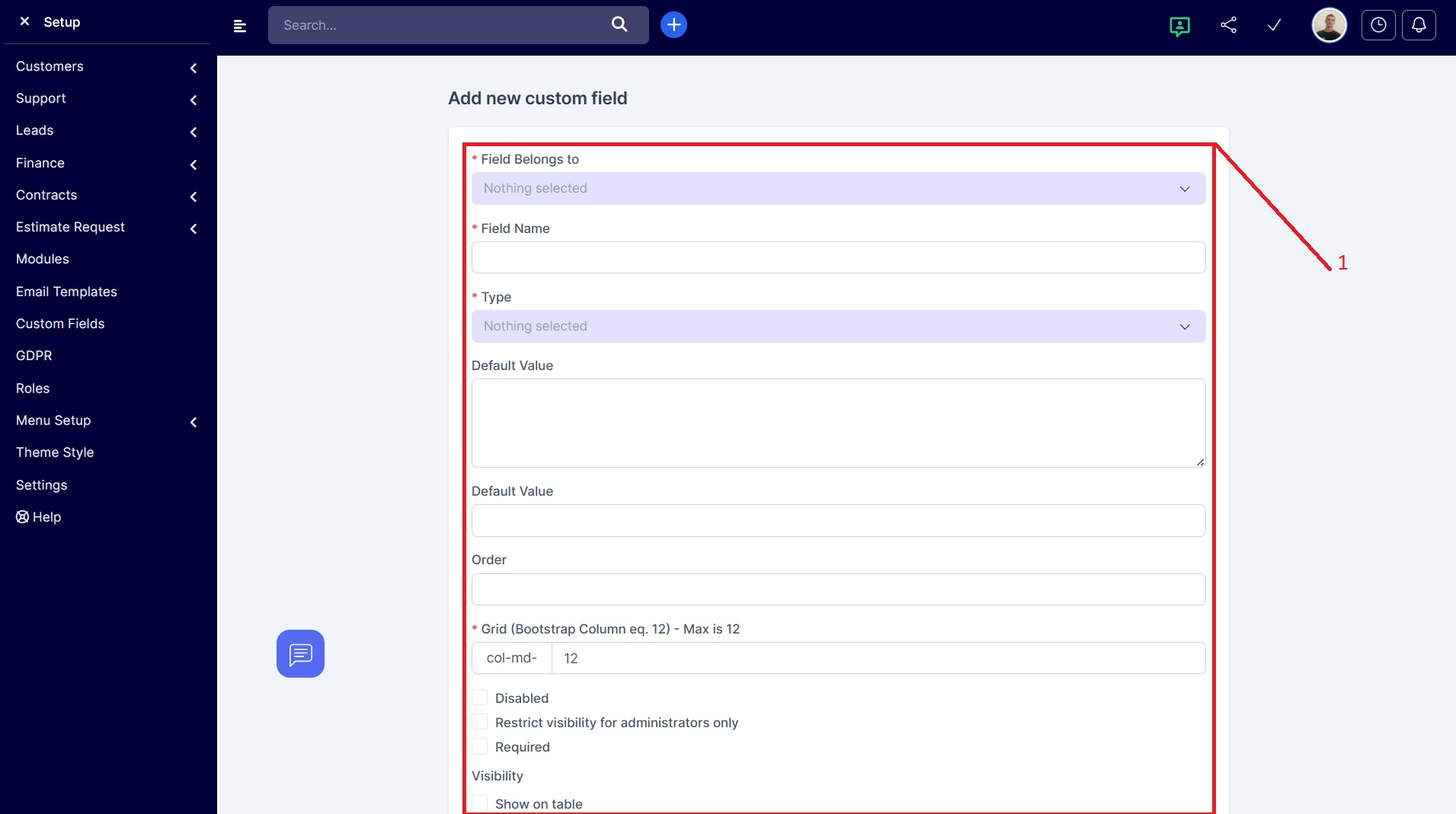
Adding a new custom field
Available options:
- Field Belongs to
- Field Name
- Type
- Default Value
- Order
- Grid (Bootstrap Column, max is 12) — e.g. col-md-12
- Disabled
- Restrict visibility for administrators only
- Required
- Visibility
- Show on table